



Jira-style task management built for optical practices. Create tasks, assign them to team members, track status changes, and keep everyone on the same page — all without leaving SightHub.
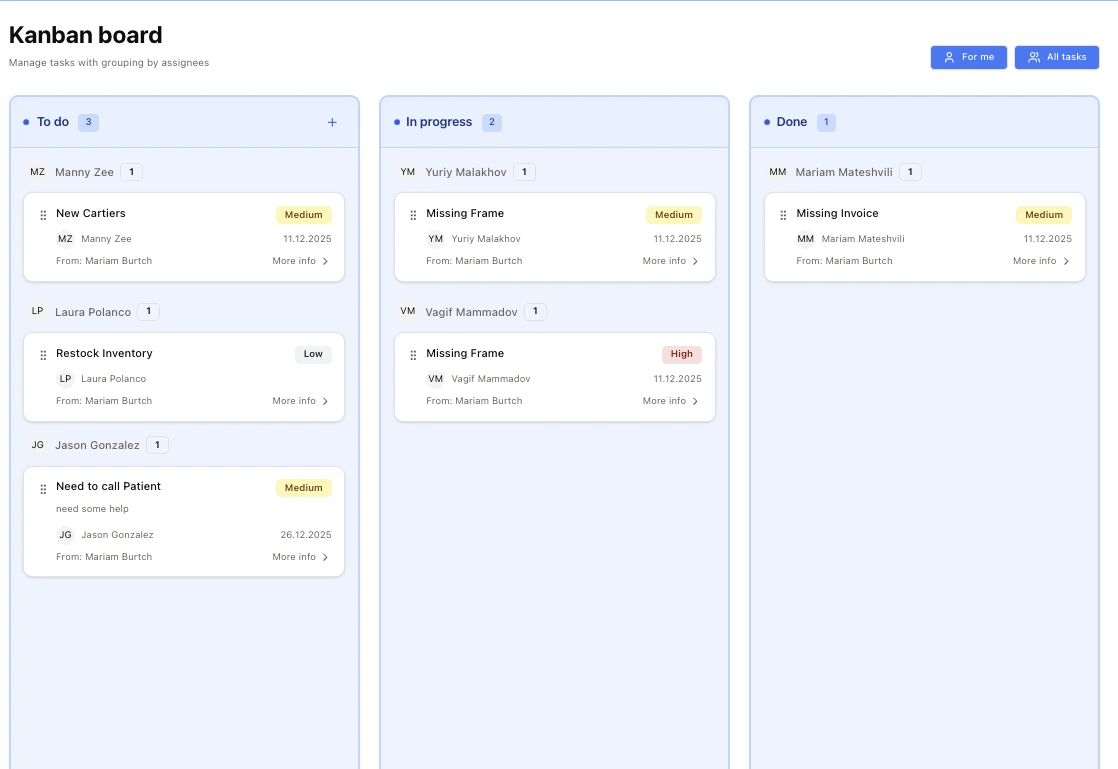
Better communication, clearer responsibilities, and nothing falling through the cracks.
Create tasks and assign them to any team member. Perfect for managers delegating work to busy staff.
Pass tasks between team members as needed. Reassign multiple times without losing context.
See every status change, assignment, and update. Complete audit trail for every task.
Add comments to tasks for context. Keep all communication in one place, attached to the task.
Track task status at a glance — open, in progress, waiting, completed. Know what's happening.
Mark tasks as done when finished. Review completed work and maintain accountability.
A simple, Jira-inspired workflow designed for optical practice teams. Create, assign, track, and complete.
Quickly create tasks with title, description, priority, and due date. Add all the context your team needs to get the job done.
Assign tasks to any staff member. Managers can delegate work to employees who are currently busy — they'll see it when ready.
Need to hand off a task? Reassign it to someone else anytime. The full history of who worked on it stays intact.
Add comments to any task. Ask questions, provide updates, or share context — all attached to the task for future reference.
Move tasks through statuses: Open → In Progress → Waiting → Completed. Everyone sees where things stand at a glance.
Every change is logged — who created it, who it was assigned to, status changes, comments. Full audit trail for accountability.
Get notified when tasks are assigned to you, when someone comments, or when status changes. Stay in the loop.